Moppy cash withdrawals and points transfers: fees and a 16-step guide
Advertising / referral links may be included.

Compare Japanese bank withdrawals first, then everyday points such as d POINT, Rakuten Points and V POINT. Follow a 16-step redemption example with screenshots and check the 14-day restriction after account changes.
Taka’s referrals: 835 people
Cash first: compare Japanese bank withdrawals
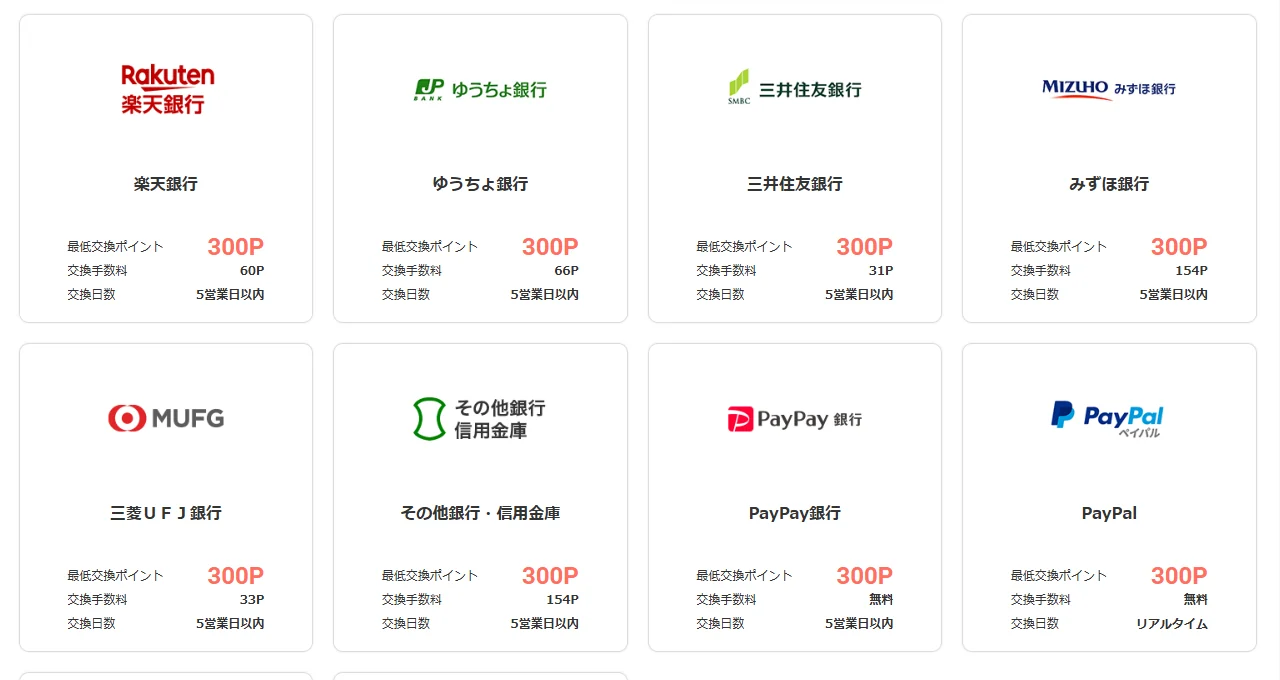
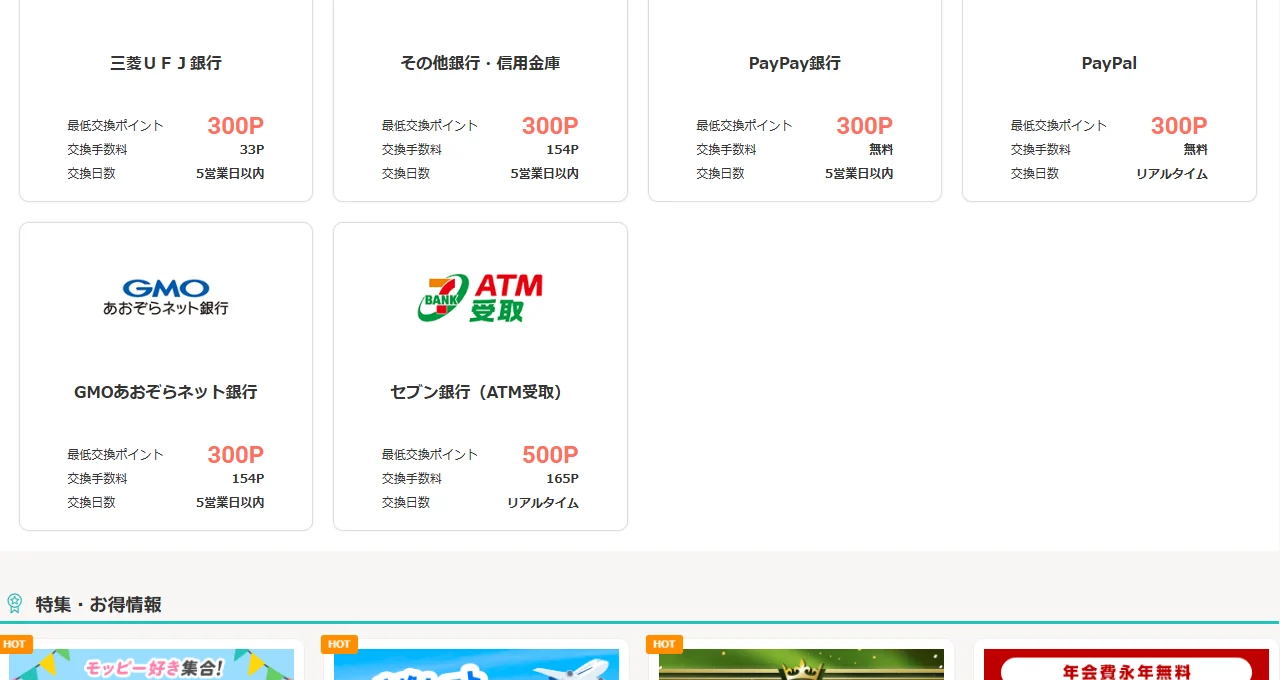
For cash you can spend freely, start by comparing transfers to your own Japanese bank account. If you already use Japanese loyalty programs, transferring to points you spend regularly can also be practical. Choose by the amount you receive after fees, rather than the advertised points total alone.
Check whether your bank is supported, the account-holder name, the exchange unit and the fee. Use your own account and enter the name exactly as required. If a long name or kana field does not fit, ask official support rather than shortening it arbitrarily. These are redemption destinations for use in Japan; overseas bank transfers are not established by this guide.
| Destination | Minimum points | Exchange fee | Expected time |
|---|---|---|---|
| PayPay Bank | 300P | Free | 5 business days or less |
| Rakuten Bank | 300P | 60P | 5 business days or less |
| Japan Post Bank (ゆうちょ銀行) | 300P | 66P | 5 business days or less |
| SMBC (三井住友銀行) | 300P | 31P | 5 business days or less |
| MUFG Bank | 300P | 33P | 5 business days or less |
| PayPal | 300P | Free | Real time |
Other points for everyday spending in Japan
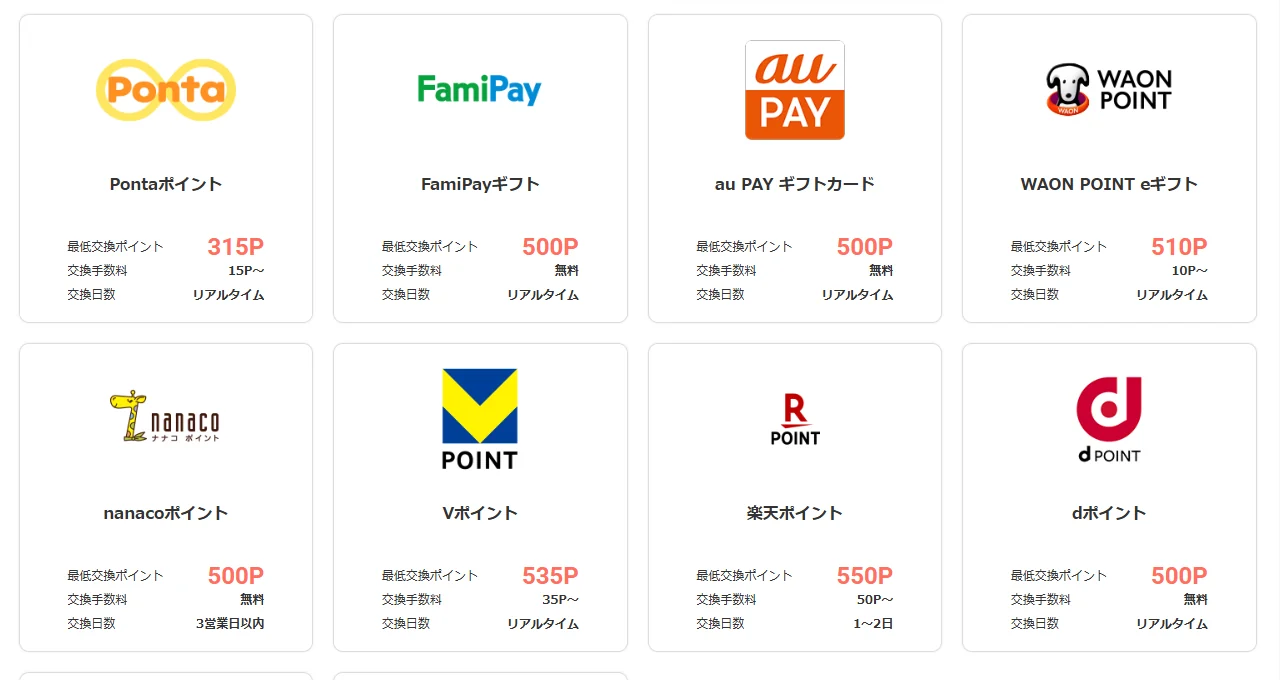
If you already use d POINT, Rakuten Points or V POINT, consider a transfer for purchases you planned anyway. PayPay Money Lite via Digital Gift is another option shown in the list. Confirm the receiving account, usage restrictions and expiry rules. PayPay Bank, PayPay Points and PayPay Money Lite are different destinations with different conditions.
| Destination | Minimum points | Exchange fee | Expected time |
|---|---|---|---|
| d POINT | 500P | Free | Real time |
| Rakuten Points | 550P | 50P〜 | 1–2 days |
| V POINT | 535P | 35P〜 | Real time |
| PayPay Money Lite via Digital Gift | 500P | Free | Real time |
Examples from the destination list
These Japanese screenshots show cash and everyday-payment destinations. Open an image to enlarge it; conditions and campaigns may change.
Secret questions, face verification and email checks
How to redeem: steps 1–16
If you recently changed your password or registered email address, security rules prevent redemption for 14 days after the change. Check the change date in your confirmation emails. See the password-change guide and 14-day restriction (Japanese) and the official help (Japanese).
The screenshots below record a smartphone redemption to Dot Money, not a bank withdrawal. A bank request can ask for different account details and follow a different schedule. Authentication screens can also vary. The official list currently includes a temporary-suspension notice concerning Dot Money; this recorded example does not establish that requests are currently available. Check official notices before applying.
Images are cropped WebP files shared with the Japanese guide. Personal information, the face image, account numbers and the email authentication URL are concealed. The service screens remain in Japanese; the explanations below are in English.
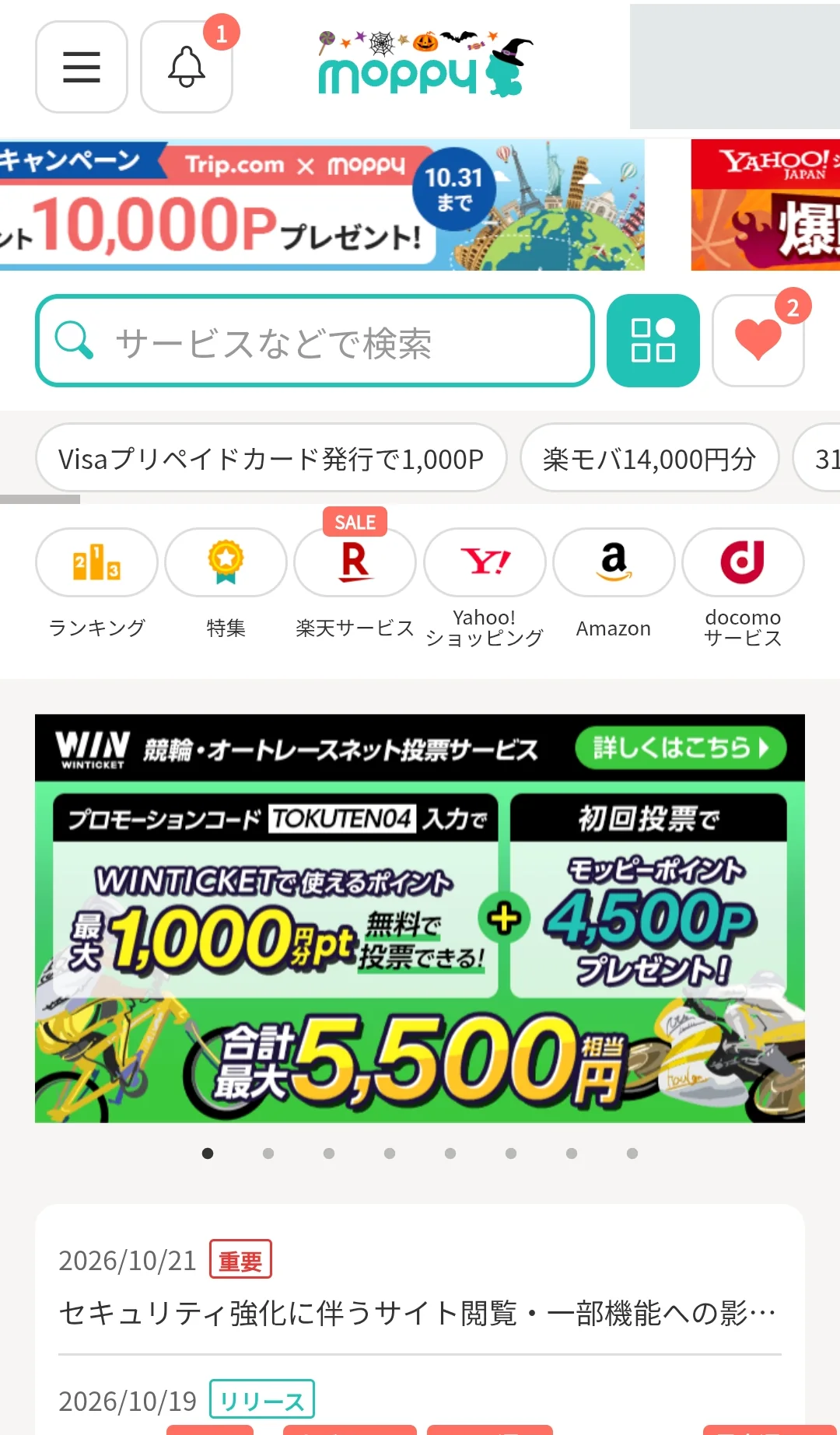
1. Open Moppy and its menu
Log in at the official Moppy website and open the top-left menu.
2. Choose Point exchange
Select ポイント交換 (Point exchange) from the menu.
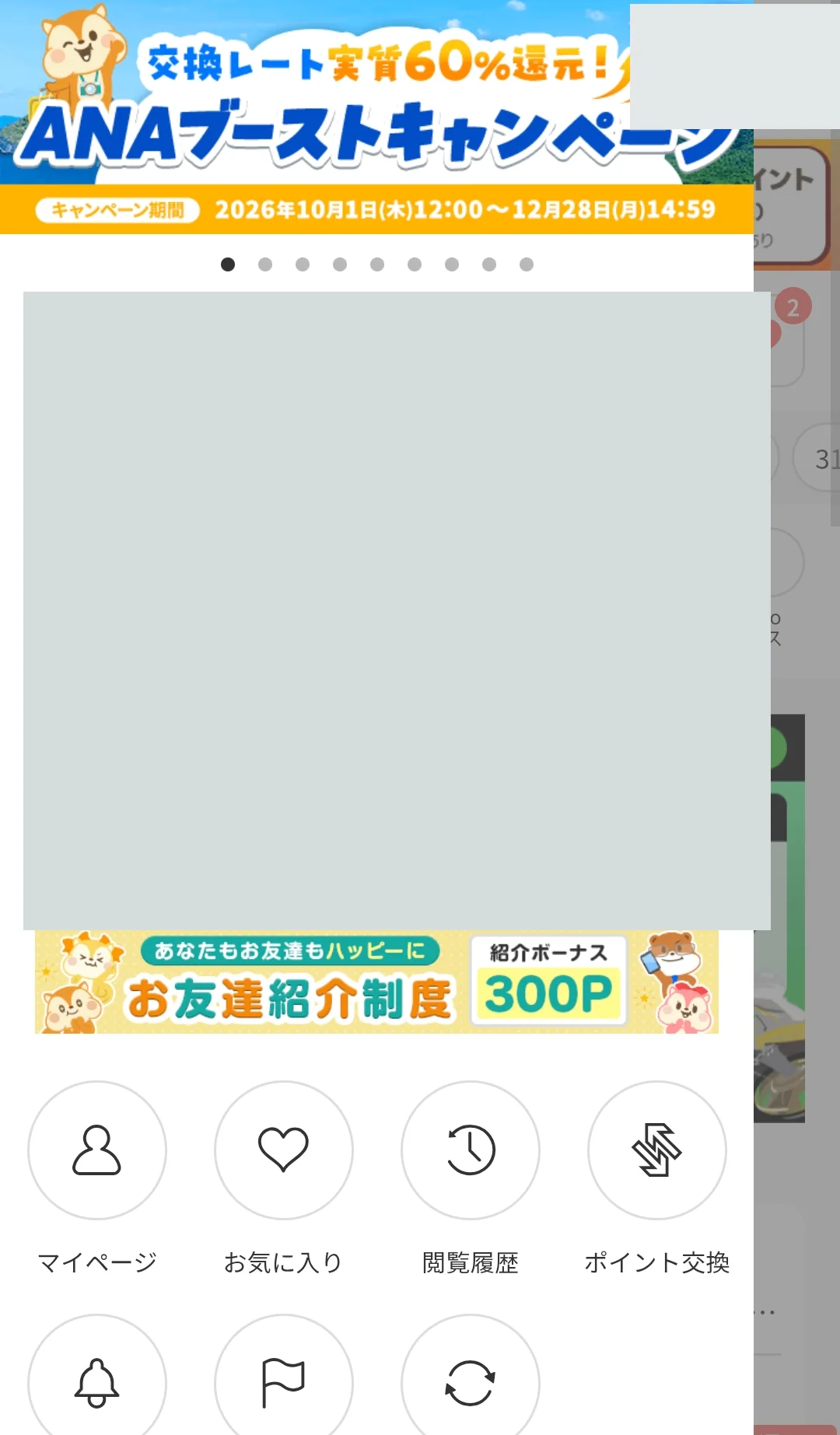
3. Select a destination
Choose a destination. This recorded example uses ドットマネー (Dot Money).
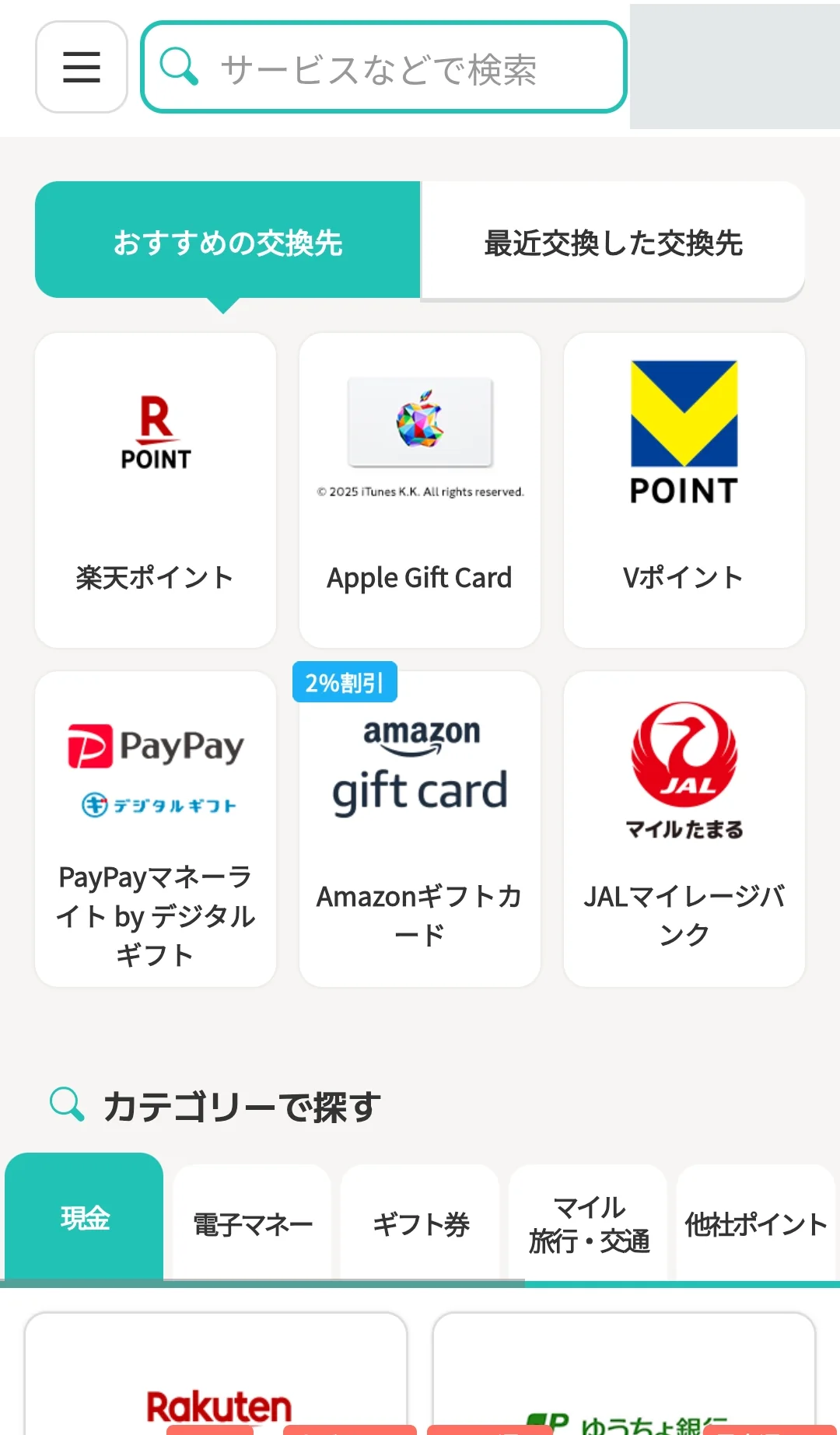
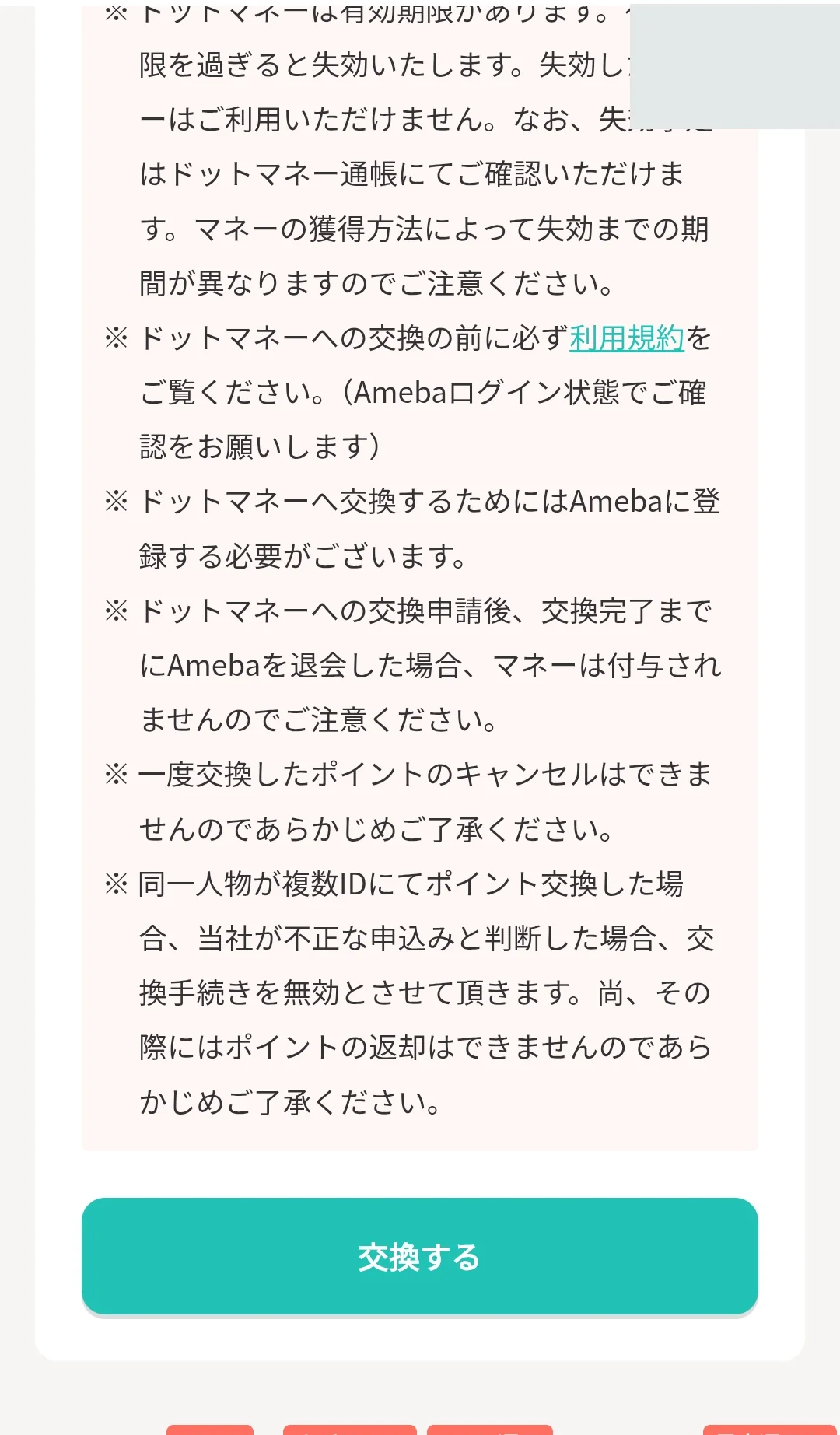
4. Read the precautions
Read the destination’s precautions and select 交換する (Redeem).
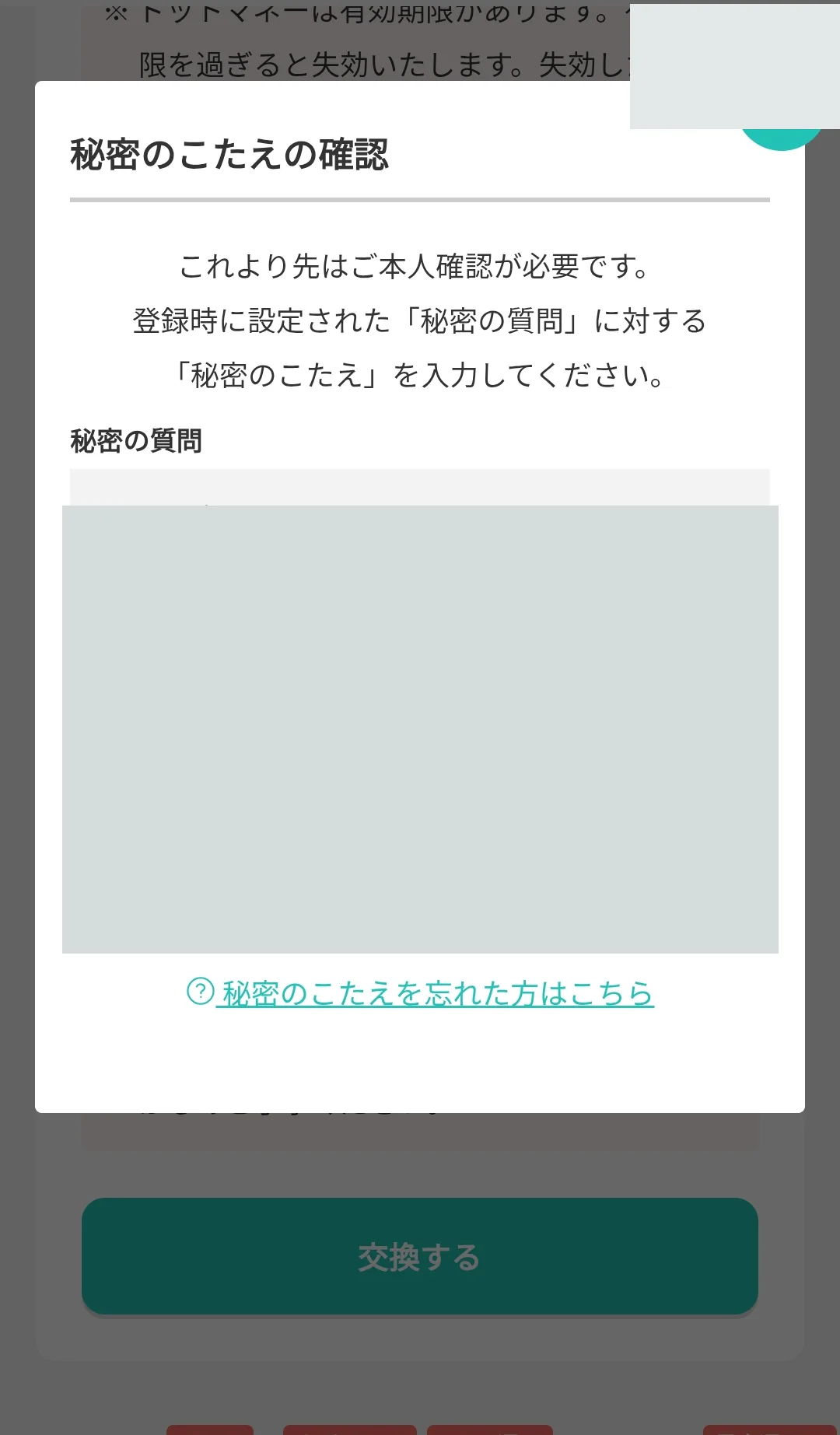
5. Answer the secret question
Enter your registered secret answer and select 本人確認 (Verify identity). Keep the answer private.
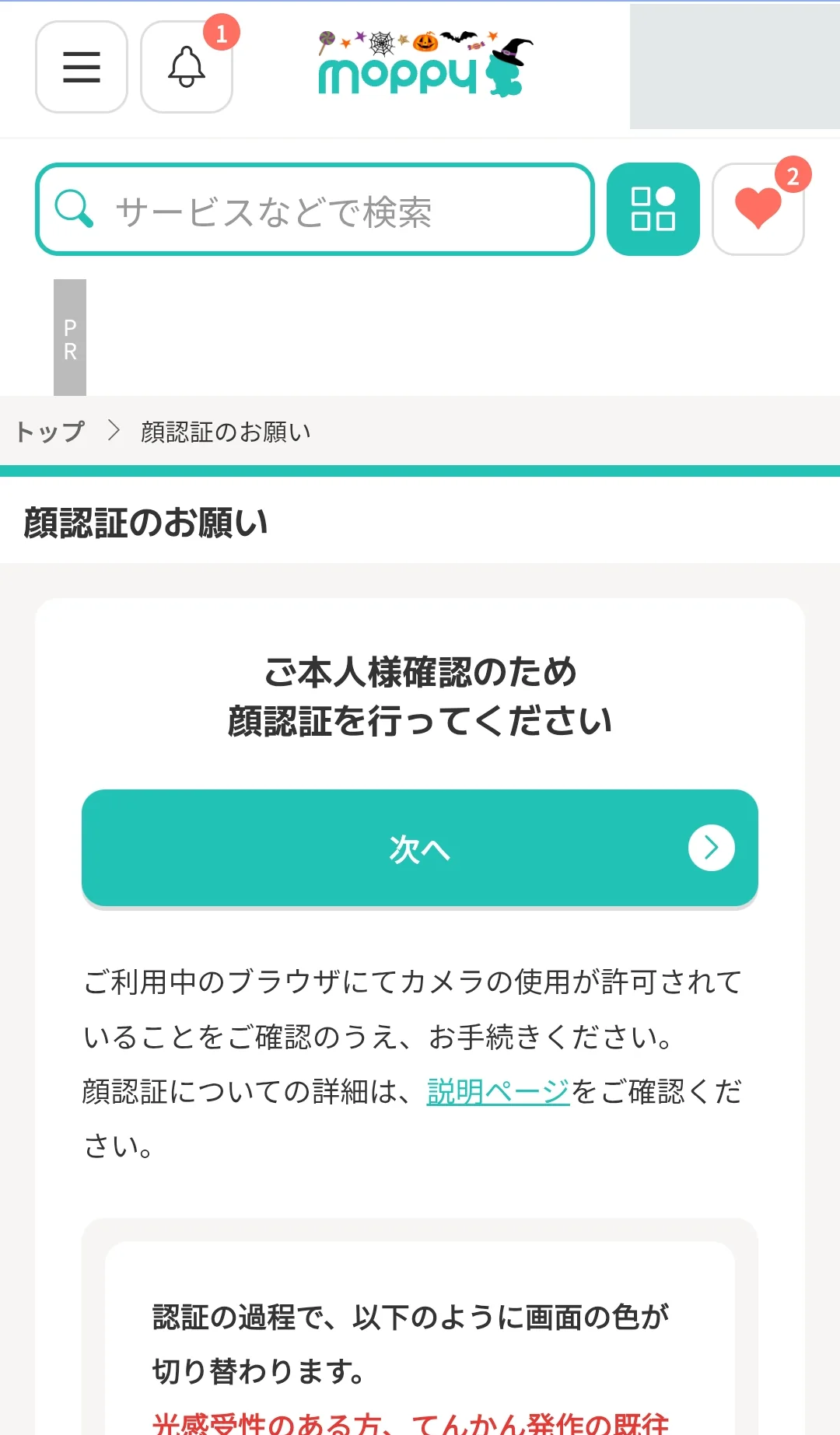
6. Read the face-verification instructions
If face verification is requested, read the instructions and select 次へ (Next). Follow the camera-permission prompts.
7. Complete face verification
Select 撮影を始める (Start capture) and follow the on-screen instructions, keeping your face inside the frame.
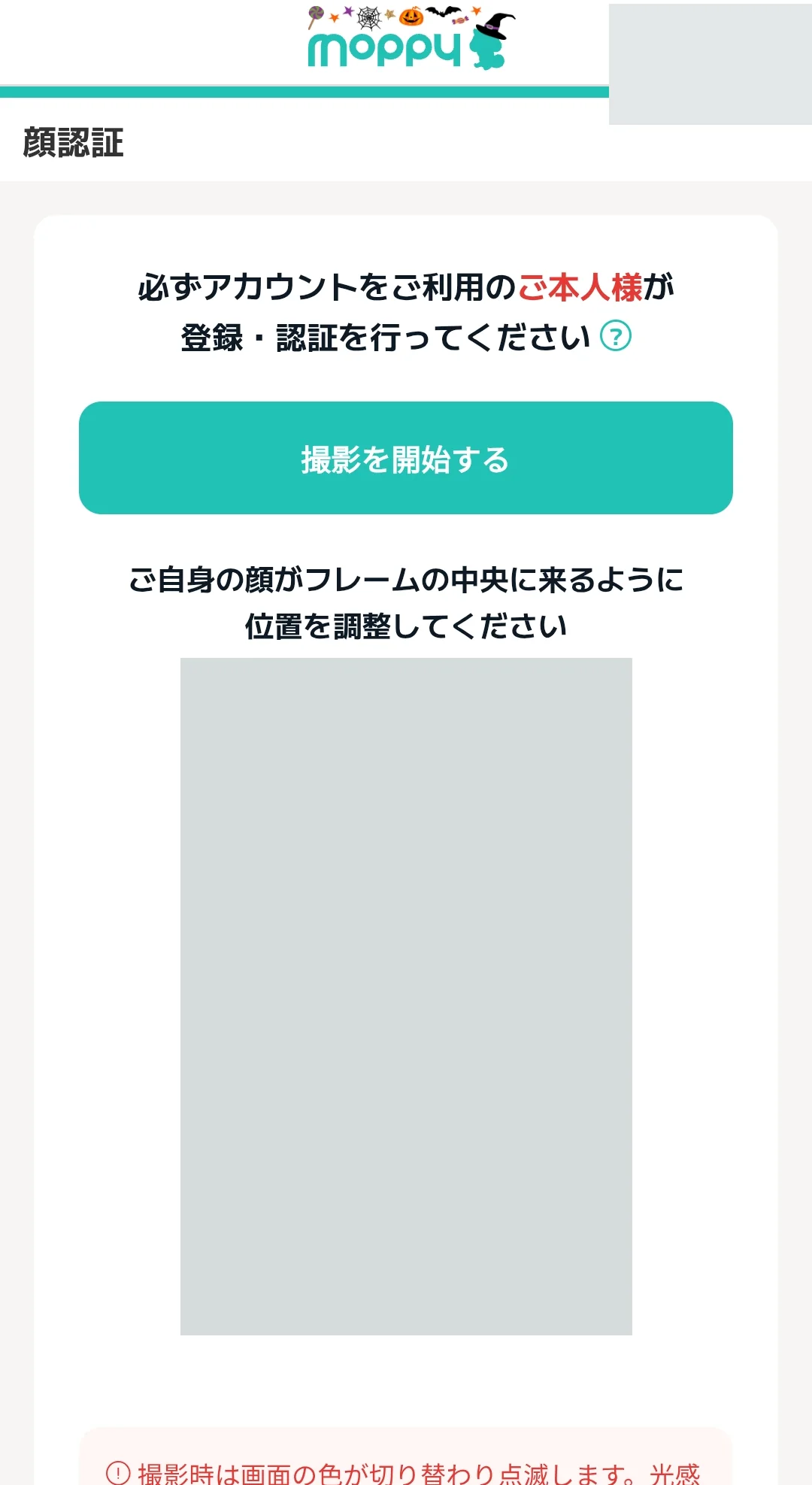
If face verification stops with an error, follow the camera, lighting and browser checks in our Moppy face verification errors: troubleshooting.
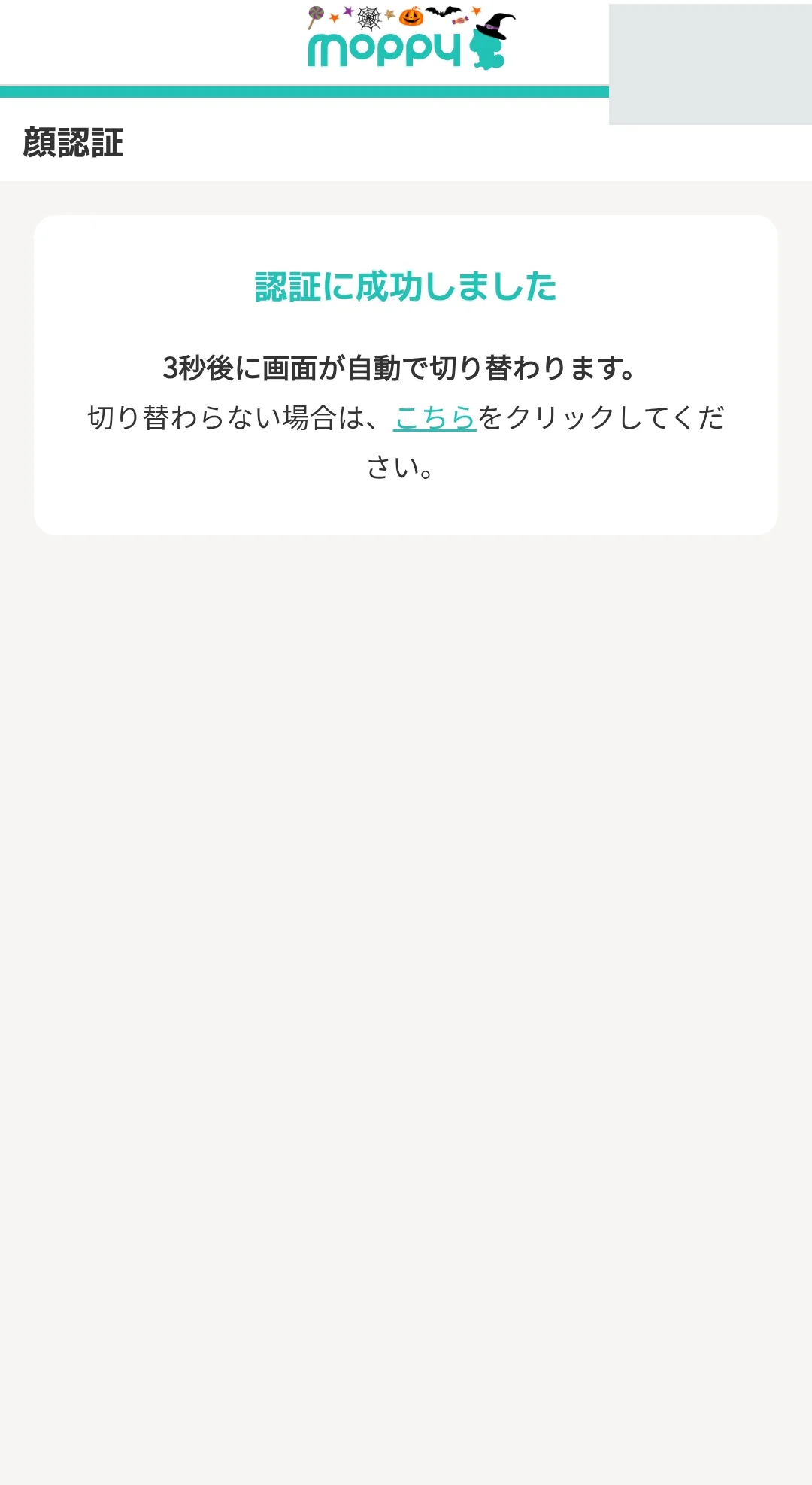
8. Check verification success
Wait for 認証に成功しました (Verification successful) and the next screen.
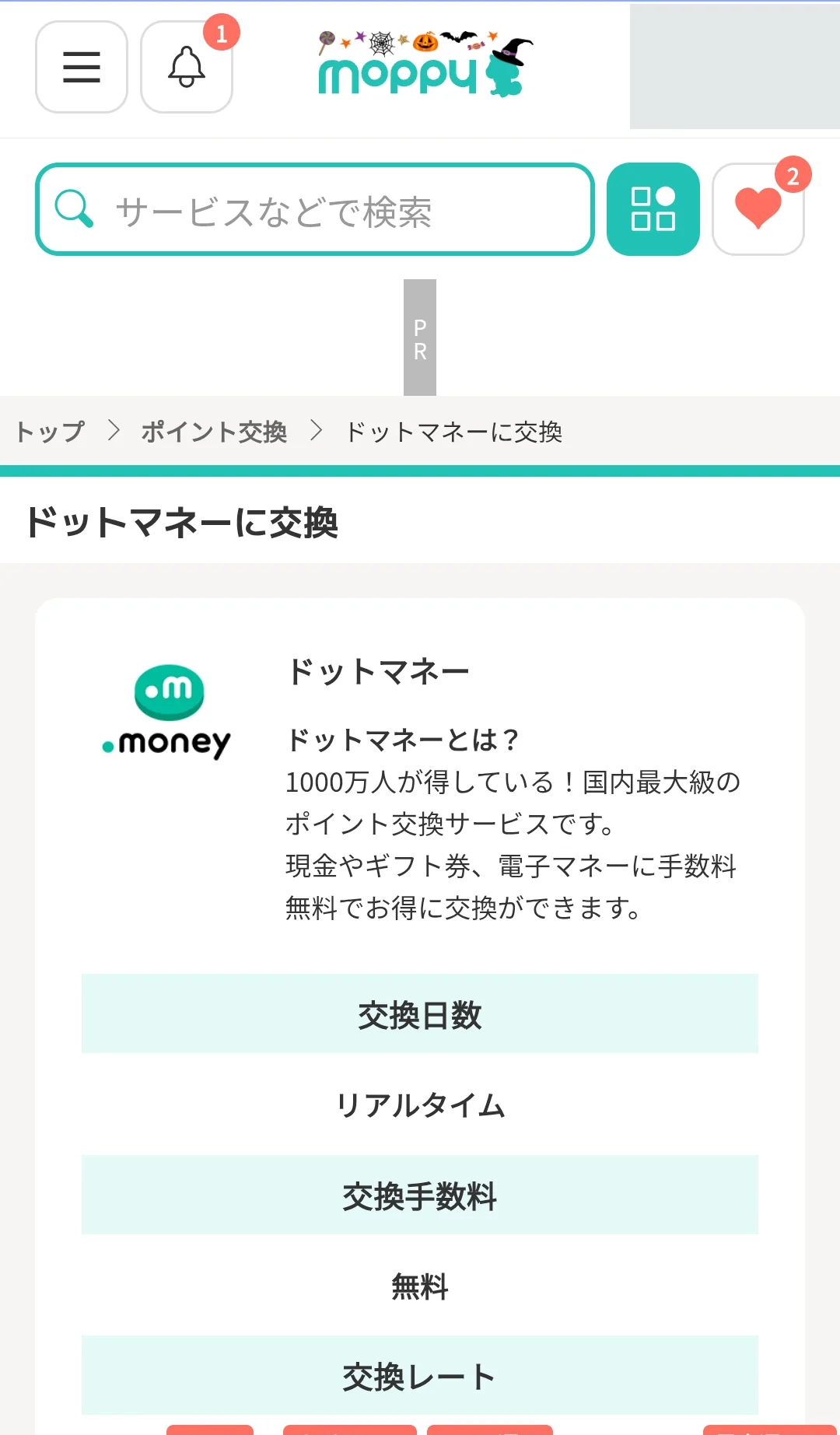
9. Review the exchange conditions
Check the rate, fee and timing. This Dot Money example shows real-time exchange with no fee; bank transfers have their own conditions.
10. Enter the required details
Enter the points amount and receiving-account details. This example asks for a Dot Money account number. A bank withdrawal requires the details shown for the selected bank.
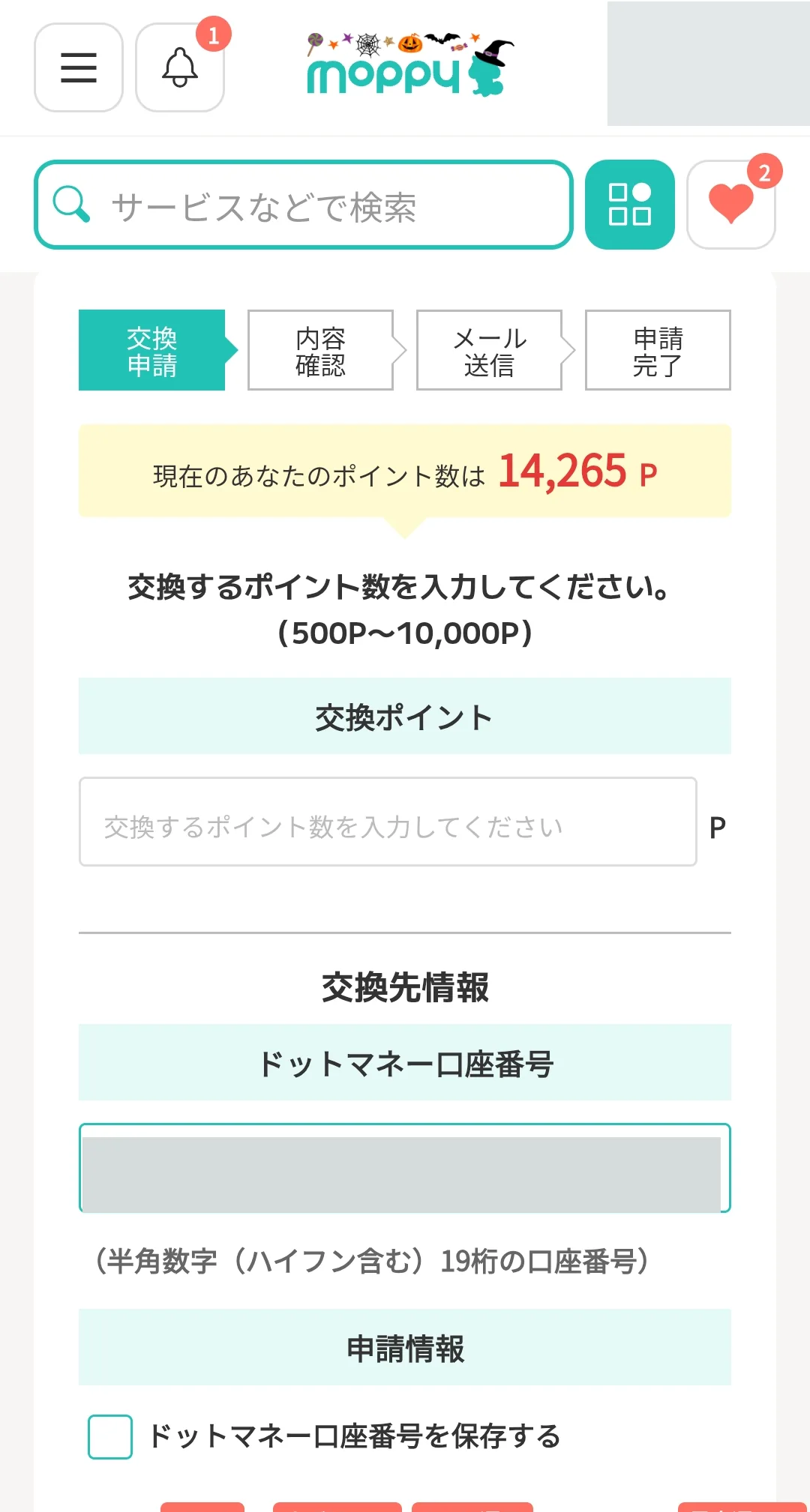
11. Proceed to the confirmation screen
Review the fields and select 入力内容の確認画面へ (Proceed to confirmation). Check the account-saving option before enabling it.
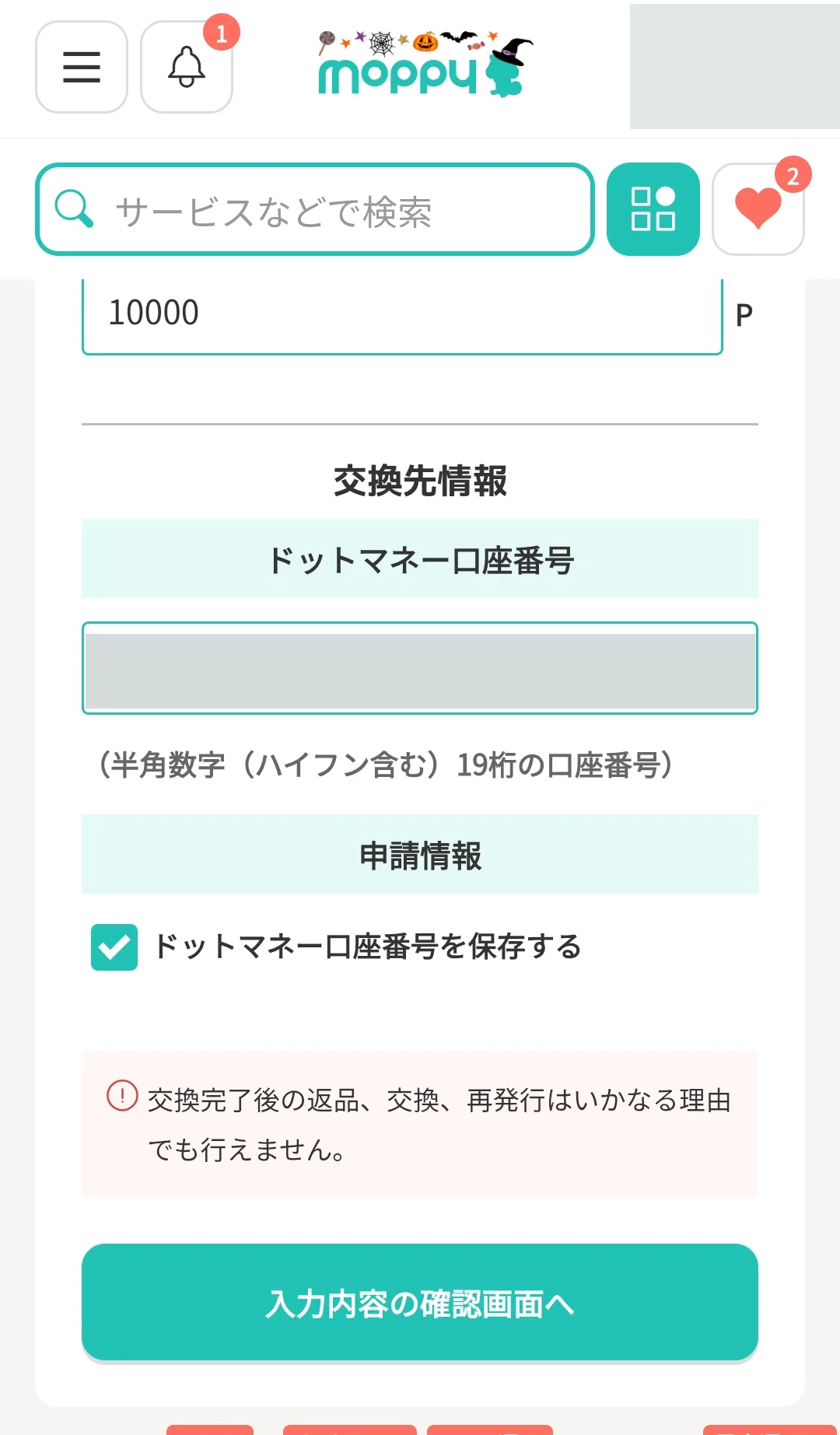
12. Review your entries
Check the destination, fee, points amount and receiving-account information. Return to the entry screen if anything is incorrect.
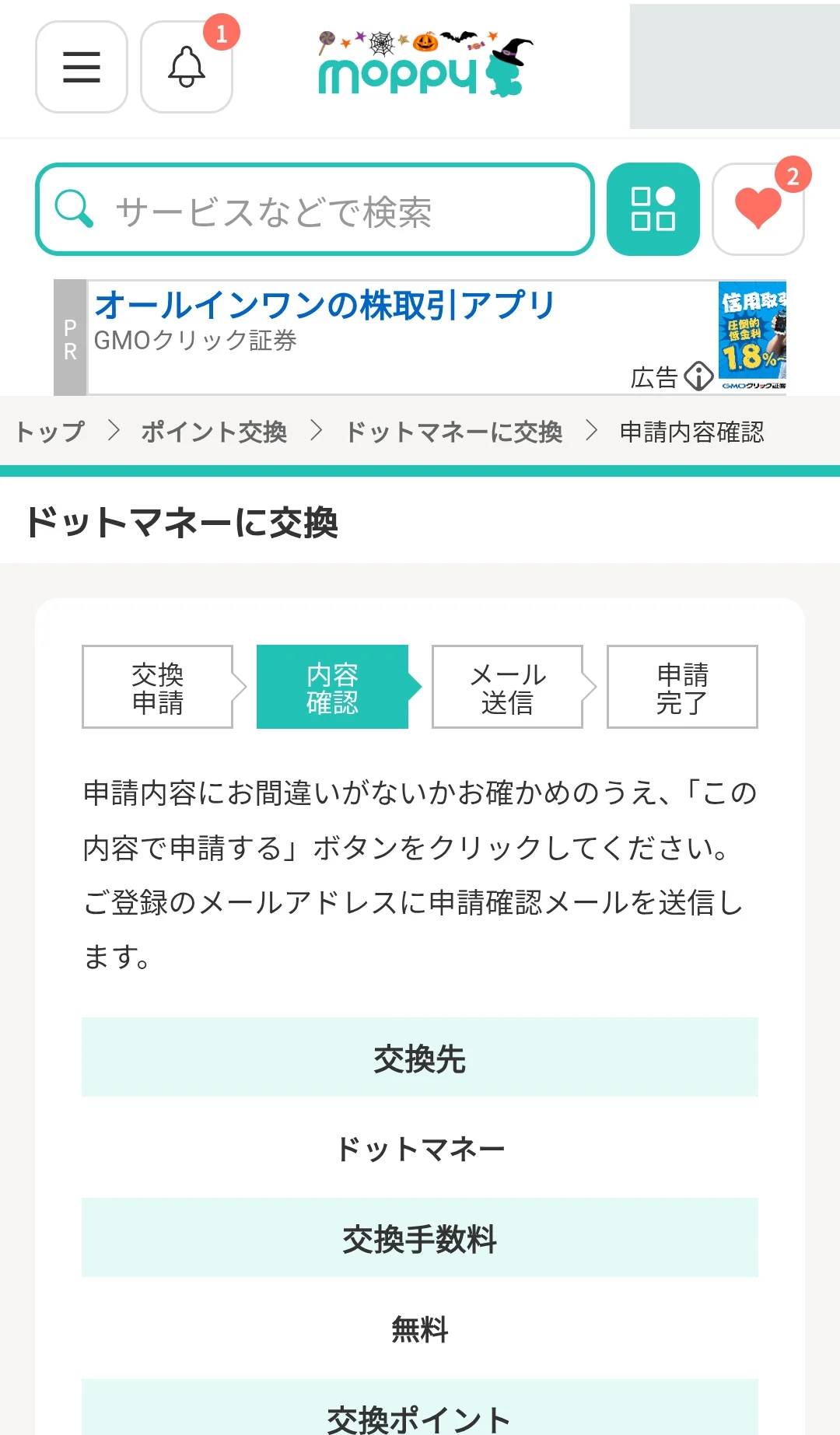
13. Submit the request
Read the precautions and select この内容で申請する (Apply with these details).
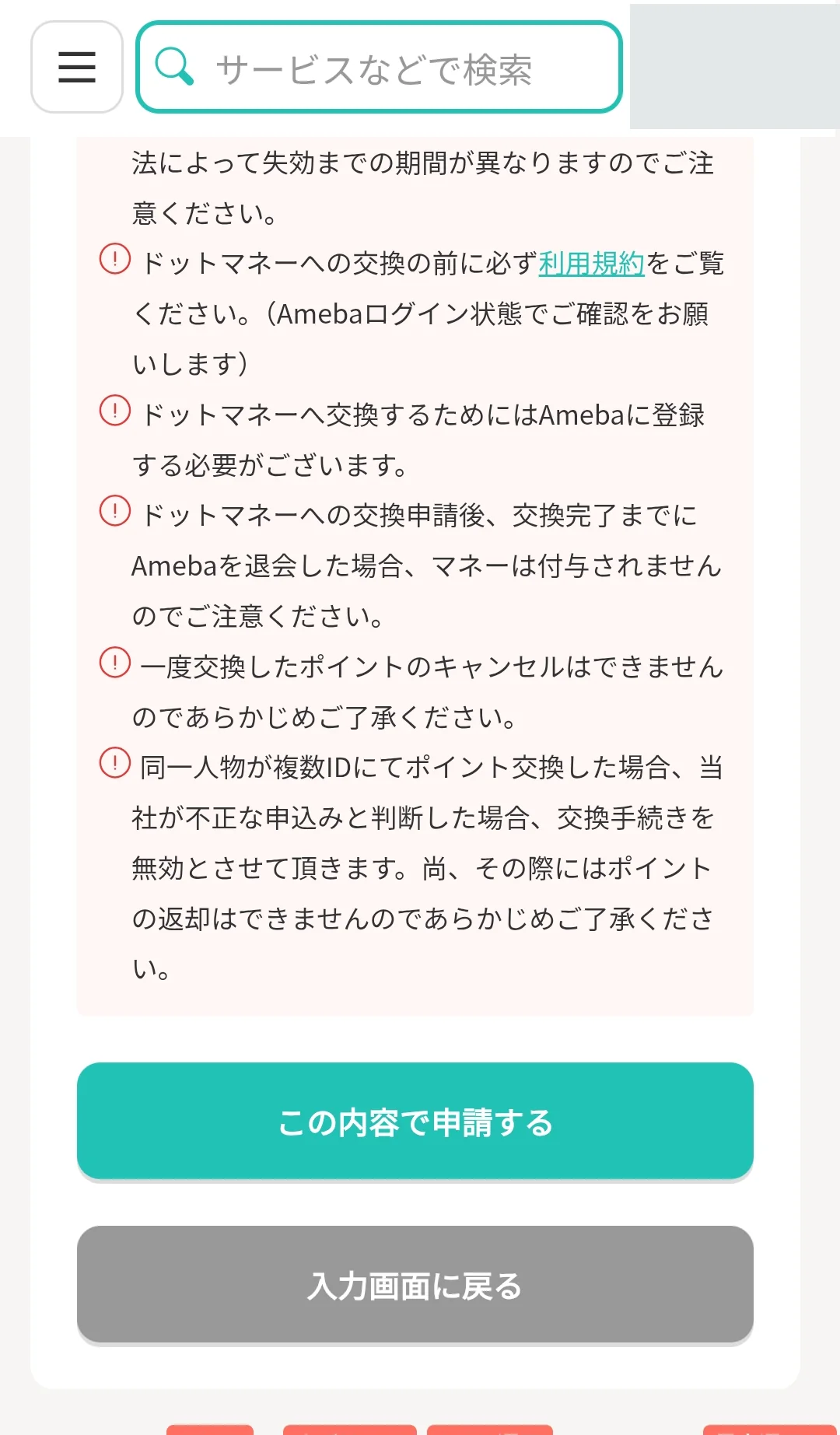
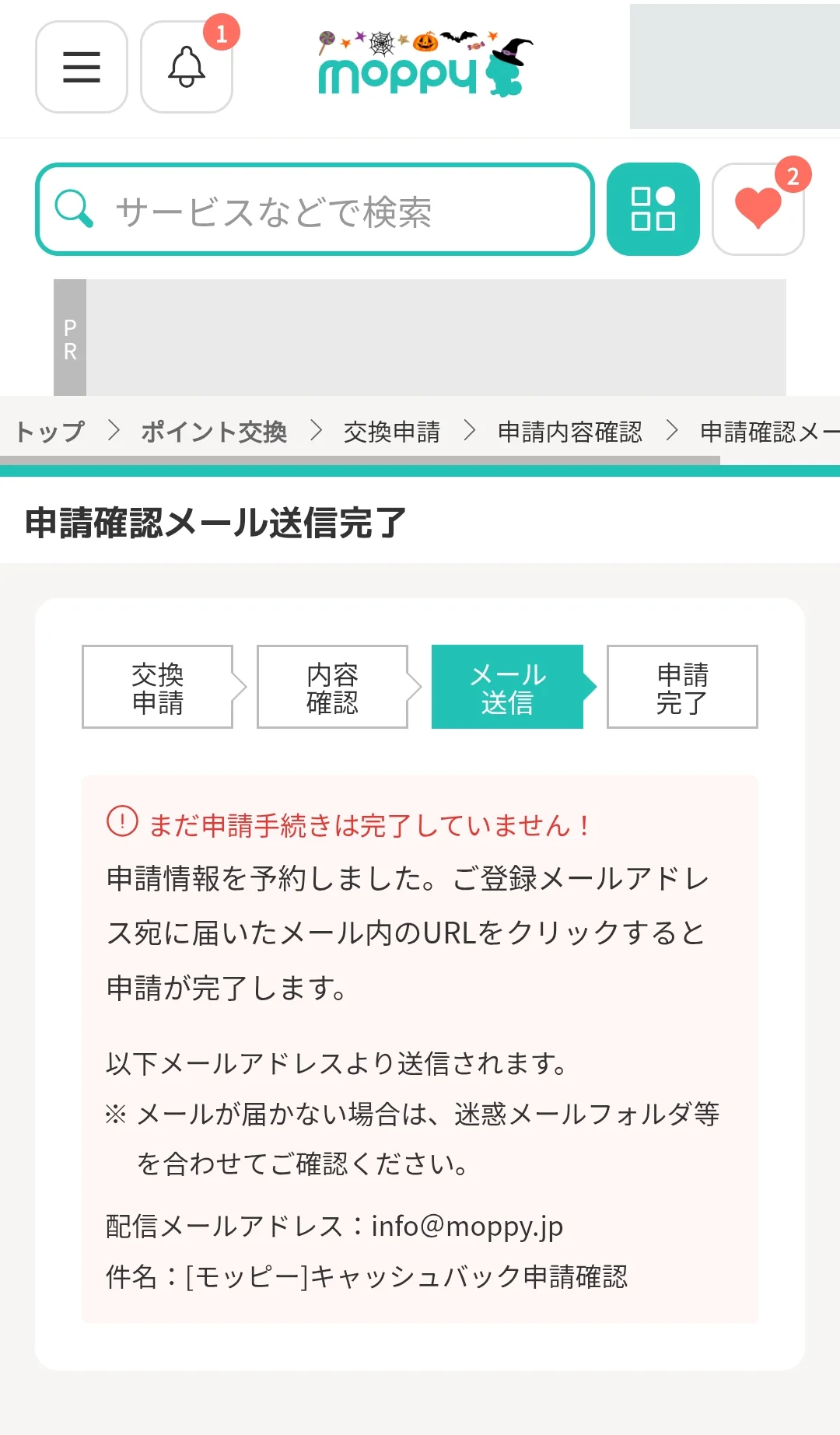
14. Check the confirmation-email notice
The screen says the confirmation email was sent. The application is not yet complete. Open the message sent to your registered email address.
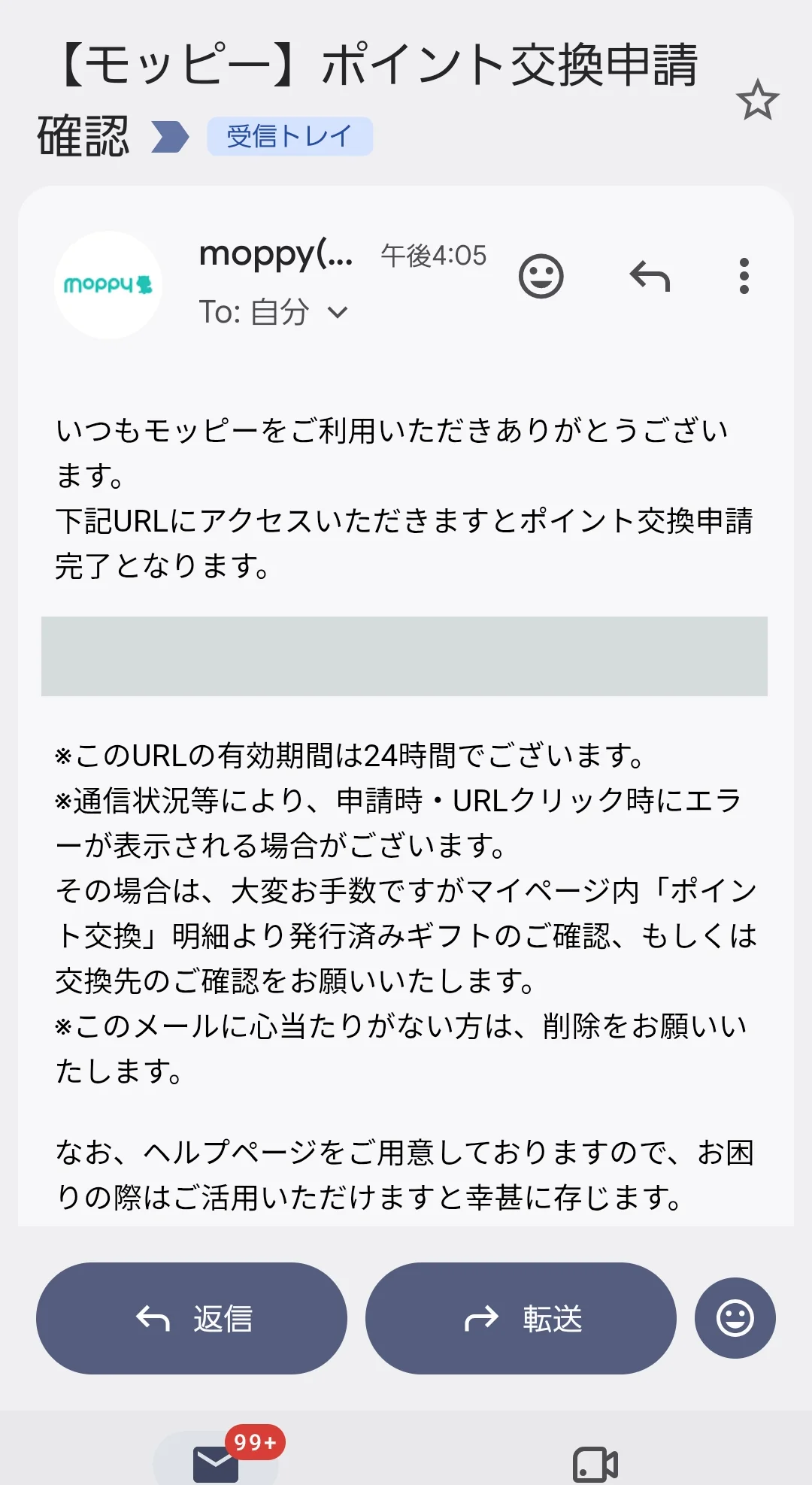
15. Authenticate through the email
Confirm that the message relates to your own request, then open its authentication URL. This example states a 24-hour validity period. Keep the URL private.
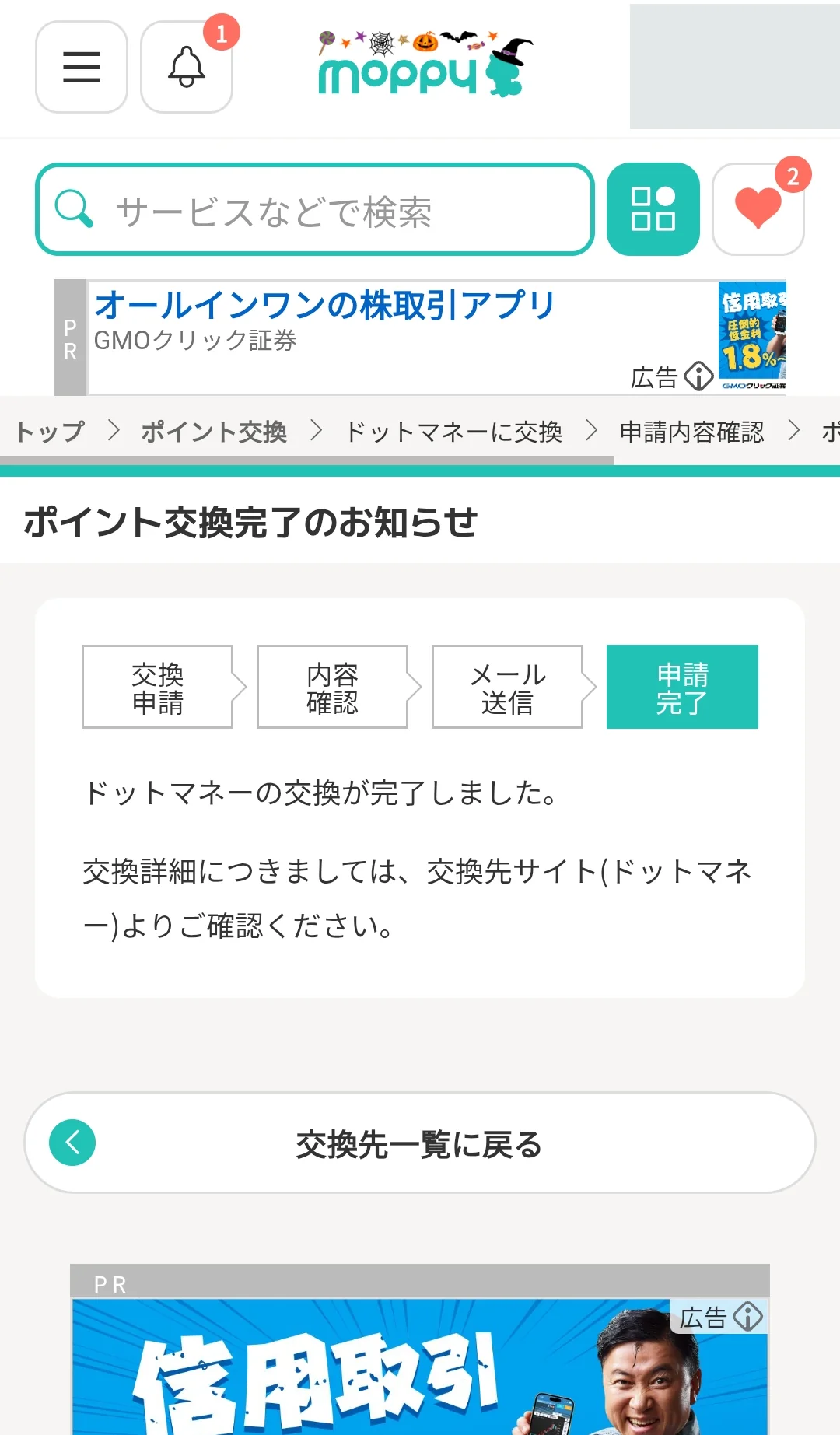
16. Check completion
Look for the completion notice. Check both your Moppy exchange history and the receiving account; request completion and receipt of funds should be checked separately.
If funds or points have not arrived
Check the exchange history, the destination’s stated processing time and how business days are counted. Distinguish a request awaiting email authentication from a completed request awaiting receipt. If the stated time has passed, contact official support with the request date and reference. Avoid duplicate requests while the status is unclear.
Related guides
Can foreign residents use points websites?
Nationality alone does not establish eligibility. Check each service’s current membership rules, age and residence requirements, accepted phone authentication and identity documents. An advertiser or redemption provider may apply different conditions from the points website. Pivox does not confirm individual eligibility or promise approval. Official registration and support screens may be in Japanese; this is an independent guide, not an official English service.
Before registering, check the spelling of your name, Japanese address and phone authentication on the official form. Where a bank account is required, confirm the account-holder name and supported account type with the redemption provider. Do not invent a kana spelling or abbreviate a name just to pass a form. Ask official support if your name cannot be entered correctly.
Moppy explicitly asks users to use the service within Japan and does not guarantee or support overseas use.
Official information (Japanese)Sources and scope
Updated 30 October 2026. Destination conditions follow the official exchange list; the workflow follows the supplied screenshots. Always check the live destination screen before submitting.