Moppy security: secret questions, face verification and safer redemption
Understand Moppy’s redemption checks, manage hiragana secret answers, distinguish face verification from passkeys, and check the 14-day restriction after account changes.
Advertising / referral links may be included.
Taka’s referrals: 835 people
Strong protection should also be usable.
Why an old secret answer can stop a redemption
After saving points, you may discover that you cannot remember the secret answer registered years ago. The system needs the exact original text, not your current hobby or a translation of the answer. Protecting points matters, but adding more information to remember does not automatically provide proportionately stronger security.
The checks you may encounter
- Password: sign in to your account
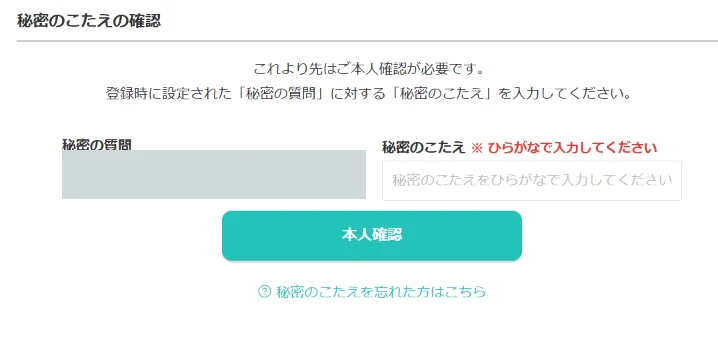
- Secret question: enter the registered answer
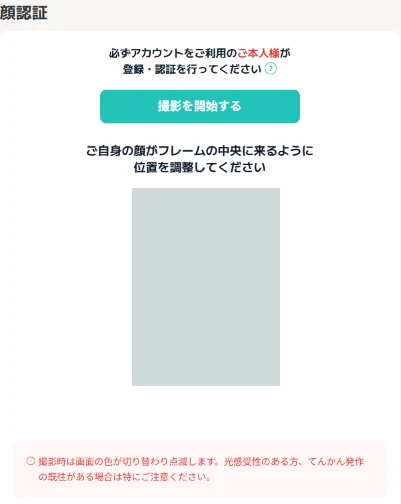
- Face verification: complete it when requested
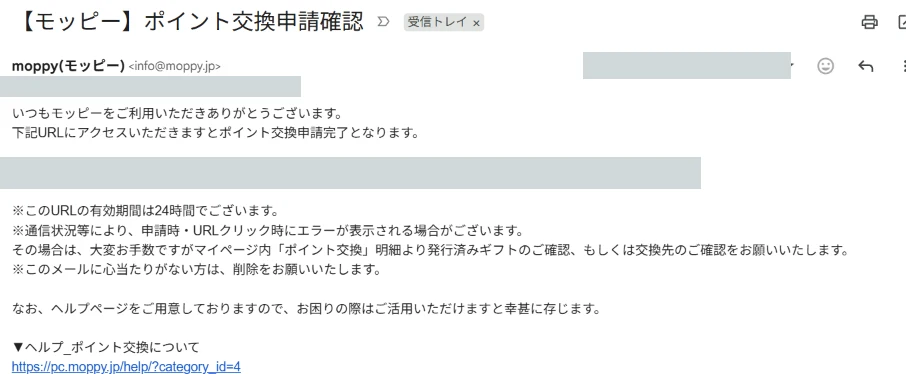
- Confirmation email: open the request-verification URL
Moppy’s official guide describes secret answers, face registration or verification, and confirmation emails. Face verification is not necessarily requested every time; follow the screen shown for your account. See the 16-step redemption example for the actual sequence.
A password and a secret answer both rely on something you know. Counting screens is not a technical assessment of multi-factor authentication. We have not audited Moppy’s internal fraud detection or measured the strength of its face verification.
What secret questions add—and what they cost
Even a legitimate user can forget the exact spelling of an old answer. A hobby, birthplace or pet’s name may also be discoverable from social media or conversation. Entering an answer on a phishing page exposes it just like another password. If you forget it, use the official recovery guidance (Japanese) rather than repeatedly guessing.
NIST SP 800-63B-4 disallows knowledge-based authentication such as personal-history questions within its scope. This is a useful design reference, not a statement that US federal guidance is Japanese law or a finding that Moppy violates it.
Face verification is not automatically a passkey
A service checking a captured face is different from your device unlocking a cryptographic credential with Face ID, a fingerprint or a PIN. The presence of a camera screen does not establish passkey support. Public information does not let us call Moppy’s face verification impossible to bypass or conclude that every other check is unnecessary.
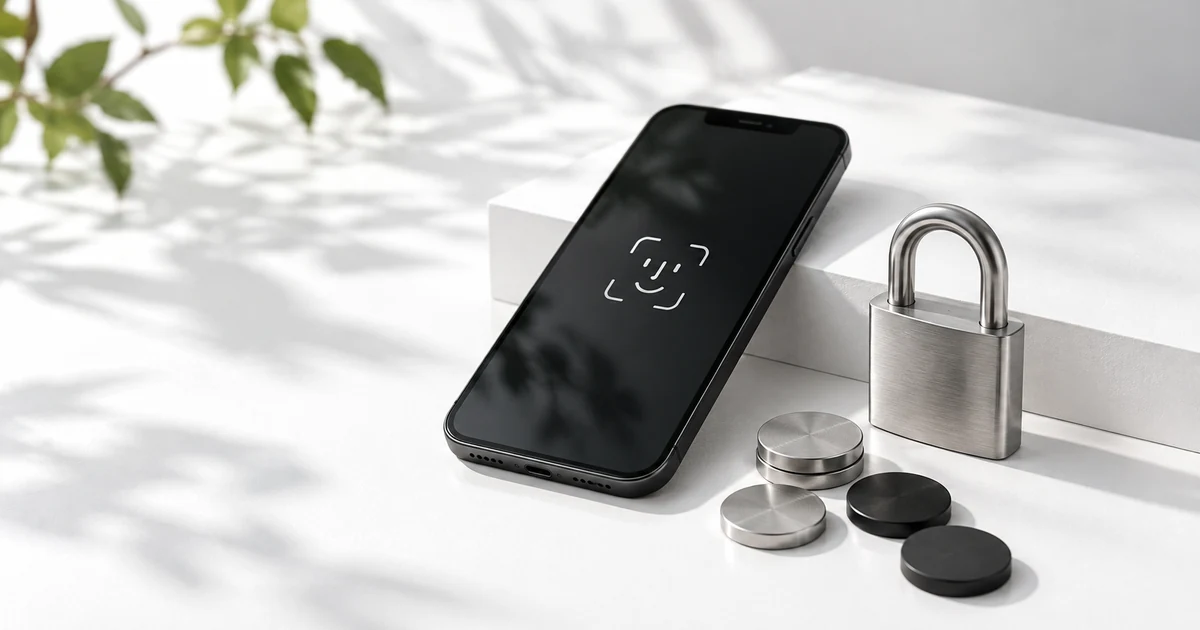
Passkeys: a possible improvement, not an instruction for this workflow
Passkeys use cryptographic credentials tied to a website or app. A device’s biometric check or PIN can authorize their use. In suitable configurations, this combines control of the credential with local user verification without a long sequence of screens. Passkeys can replace passwords rather than always being added on top of them.
Their phishing resistance comes from binding authentication to the legitimate service, not simply from using a face. Recovery routes and device protection still matter. This section discusses a design possibility; it does not claim that the Moppy procedure shown here supports passkeys.
Manage the secret answer like another password
Where the service’s rules permit it, use an answer unrelated to your personal history and store the exact question and answer in a password manager. Use a unique answer for each service, separate from your login password. Do not copy a published example.
The supplied screen specifies ひらがなで入力してください (Enter in hiragana). Do not translate your saved answer into English or Chinese, or replace it with roman letters. When setting an answer, follow the current allowed characters and length; a Latin-letter password generator output is not a usable answer for a hiragana-only field.
Protect the password manager and prepare its recovery method. Open Moppy from a trusted bookmark before entering secrets. Managing the answer reduces guessing and memory problems, but does not make a fake input form safe.
Account changes: the 14-day redemption restriction
Changing your password or registered email address can prevent points redemption for 14 days after the change. Check confirmation emails for the change date. This is different from an already submitted bank transfer taking several business days. See the password-change guide (Japanese) and official help (Japanese). If compromise is suspected, protect the account promptly rather than delaying a needed password change to preserve redemption access.
Protect the points and reduce unnecessary friction
Additional identity checks can help protect accumulated points. The useful question is which fraud each check prevents and how much difficulty it creates for legitimate users. A future design could make routine redemption simpler while requiring extra checks for unusual activity and providing safe recovery.
Sources and scope
Updated 30 October 2026. This is an independent explanation and design discussion based on official guidance and supplied screenshots, not a security audit. Authentication requirements may vary. Screenshots remain in Japanese and identifying details are concealed.